With a firm grasp of computer memory, you can optimize your device's performance and storage capabilities. This post will guide you through the vital components of memory, focusing on Random Access Memory (RAM), Read-Only Memory (ROM), and various storage devices. You'll learn how each type of memory functions, their unique roles in your computer's operation, and the best options available to meet your needs. Understanding these elements will empower you to make informed decisions about upgrades and maintenance.
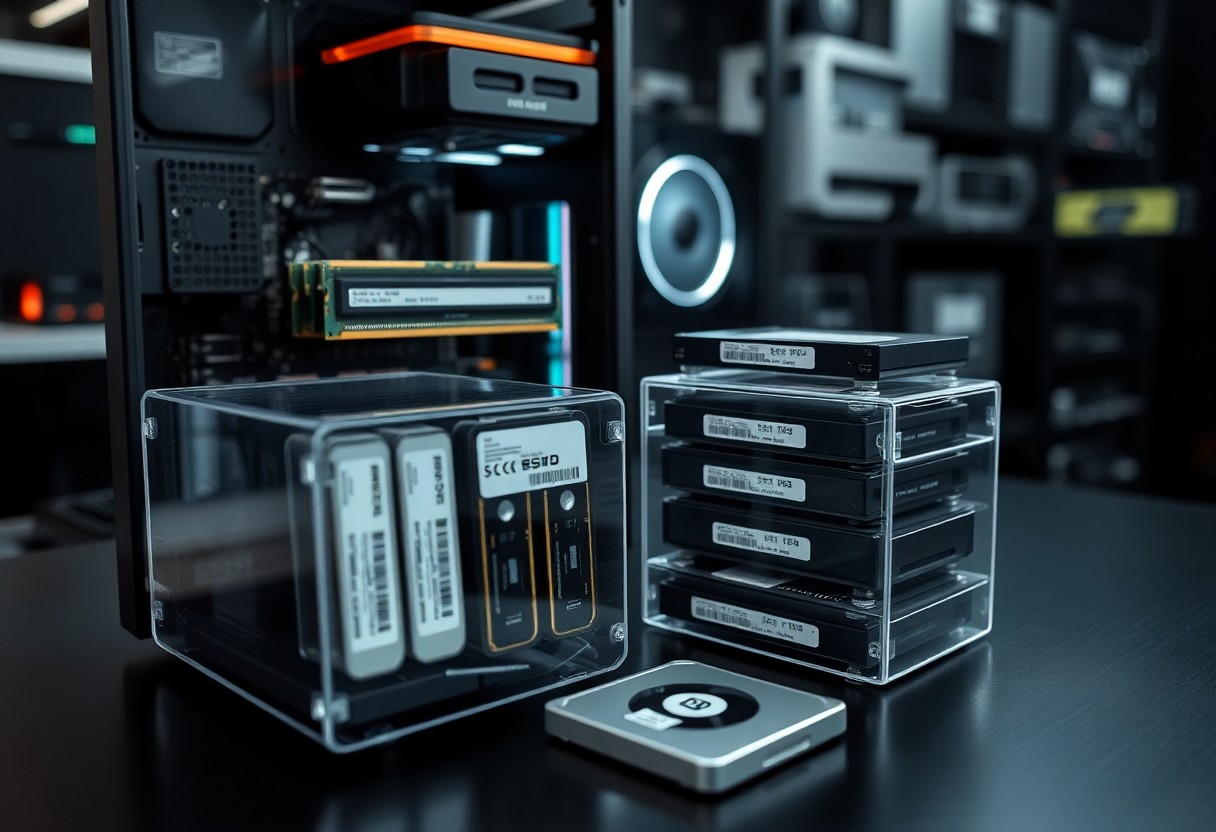
The Functionality Divide: SRAM vs. DRAM
The two primary types of RAM, Static RAM (SRAM) and Dynamic RAM (DRAM), serve distinct purposes in computing environments. SRAM is faster and more reliable, making it ideal for cache memory in processors, while DRAM, being less expensive, is widely used for primary system memory. The architectural differences also contribute to their functionalities; SRAM retains data bits in its memory as long as power is supplied, unlike DRAM, which needs frequent refreshing to maintain data integrity. This divide plays a significant role in how each type is utilized within various computing systems.
Speed Demystified: The Role of Static RAM
SRAM stands out due to its speed; it enables quick access to data without the need for refresh cycles, which makes it invaluable for applications requiring immediate data retrieval. The structure of SRAM consists of a series of flip-flops that create memory cells, allowing it to provide nearly instantaneous response times. Computers leverage this rapid access in cache layers, which significantly enhances overall processing speed, especially in high-performance environments like gaming or data centers.
Cost Efficiency: Why Dynamic RAM Dominates
DRAM dominates the market due to its cost-effectiveness. Each DRAM cell consists of a transistor and a capacitor, which allows manufacturers to produce them at a lower cost compared to the more complex structure of SRAM. This affordability enables the integration of large amounts of memory in personal computers, servers, and mobile devices. As applications demand higher memory capacity, DRAM's design enables scaling without dramatically increasing the cost, making it a go-to choice for mainstream use.
The economic advantages of DRAM are evident when evaluating production scales; the manufacturing process of DRAM allows for greater density, meaning you can fit more memory in the same physical space. This is crucial for modern devices that require efficient performance without compromising budget. While SRAM's speed is unmatched, the ability to pack in gigabytes at a fraction of the price gives DRAM the edge in a wide array of applications. As a result, you'll find DRAM in your everyday devices, from laptops to smartphones, catering to the need for high capacity on a budget.
Unveiling the Permanence of Read-Only Memory
Read-Only Memory (ROM) plays a vital role in computing by providing a non-volatile form of storage that retains data even when the power is turned off. Unlike volatile memory such as RAM, where information disappears once the device is powered down, ROM is designed to provide stable and permanent instructions that your system can access at boot-up. This reliability makes ROM an vital component for storing firmware, vital system instructions, and critical data needed during the initial phases of a computer's operation.
Memory Storage That Lasts: The Function of ROM
The primary function of ROM is to hold firmware, which consists of low-level software that initializes hardware and loads the operating system. This memory type is written during manufacturing, allowing manufacturers to embed the necessary code directly onto the chip. Since it is read-only in nature, attempting to modify the stored data is typically restricted, ensuring the critical instructions remain intact throughout the device's lifecycle and are readily available whenever needed.
Application Insights: Where ROM Fits in Modern Computing
ROM is a cornerstone technology in various applications, from basic electronic devices like digital watches to complex systems such as computers and gaming consoles. In modern computing, you often find ROM used in BIOS chips, which store the firmware responsible for booting the computer, as well as in embedded systems where reliable, unchanging code is vital for performance and safety.
For instance, in smartphones, ROM holds the operating system and baseline applications, facilitating quicker access than traditional storage options. This function is evident in devices that come with a built-in operating system, where the firmware is crucial for proper functionality. Additionally, the growing popularity of IoT devices demonstrates the need for ROM, as these devices often require a permanent set of instructions to ensure consistent performance without user intervention. As technology evolves, the importance of ROM continues to resonate across multiple sectors, providing the stability necessary for today's complex computing environments.
The Unseen Backbone: Hard Drives vs. Solid-State Drives
Understanding the differences between hard disk drives (HDDs) and solid-state drives (SSDs) is necessary for making informed storage choices. While HDDs utilize spinning disks and read/write heads to access data, SSDs store data in microchips, allowing for near-instantaneous access. This fundamental difference not only affects speed and performance but also impacts cost, capacity, and durability. As you consider your storage options, evaluating these characteristics will help you determine which type aligns better with your needs.
Mechanical vs. Electronic: The Speed Debate
Speed is one of the most notable differences between HDDs and SSDs. With average read/write speeds of up to 200 MB/s, HDDs lag behind SSDs, which can achieve speeds exceeding 5000 MB/s. This speed advantage translates into faster boot times, quicker file transfers, and improved application performance with SSDs. If you rely on intensive tasks like gaming or video editing, SSDs will significantly enhance your experience by reducing latency and load times.
Reliability and Lifespan: Assessing Your Storage Choices
When evaluating reliability and lifespan, SSDs generally outperform HDDs. Traditional mechanical drives have moving parts that can wear down over time, often leading to failure. In contrast, SSDs are less susceptible to physical damage and can withstand shock better. However, SSDs have a limited number of write cycles, typically around 3000 to 10000 cycles before performance degradation occurs. Choosing the right storage solution involves understanding your usage habits and how often you write new data. For heavy users, an SSD may offer better durability, while an HDD might suffice for lighter storage needs.
Diving deeper into lifespan considerations, HDDs can last around 3-5 years, depending on usage and care, while SSDs often come with warranties of up to 5 years. Yet, performance degradation in SSDs can mean they exhibit issues earlier under heavy write conditions. If you frequently work with large files or datasets, investing in SSDs could reduce the risk of failure and data loss. Conversely, using HDDs for archiving or less-accessed files can maximize their lifespan and value. Your choice should align with how you use your devices and your risk tolerance regarding data reliability.
The Future of Memory Technology: What's on the Horizon?
You’re witnessing a fascinating evolution in memory technology, with advancements promising to reshape the landscape of computing. Researchers are exploring new materials and architectures that could enhance speed, capacity, and energy efficiency. Innovations such as neuromorphic computing and advanced 3D-stacking techniques may lead to faster data access and more efficient storage solutions, paving the way for smarter devices and applications in everyday life.
Emerging Innovations: Flash Memory and Beyond
Flash memory continues to dominate the storage market, but new alternatives are gaining attention. Technologies like phase-change memory (PCM) and resistive RAM (ReRAM) offer potential advantages in speed and durability. These innovations could drastically reduce read and write times while allowing for greater data retention and efficiency, ideal for the demands of modern applications such as artificial intelligence and big data processing.
Impacts of Quantum Computing on Memory Design
Quantum computing is set to revolutionize memory design by introducing fundamentally different principles of data handling. Traditional memory architectures may struggle to keep pace with quantum systems' requirements. New approaches will be necessary to support qubit-based operations, enabling the storage and retrieval of information in unprecedented ways. The integration of quantum principles into memory technology promises faster processing and expanded capabilities beyond classical limits.
The move towards quantum computing fundamentally alters how you think about memory. Unlike classical bits, qubits can exist in multiple states simultaneously, resulting in memory designs that need to manage this complex interaction. For instance, researchers are investigating hybrid systems that combine classical and quantum memory management, aiming to retain the speed of traditional methods while leveraging the exponential speedup offered by quantum calculations. As you engage with future devices powered by quantum technology, expect memory to adapt, ensuring data integrity and accessibility at speeds we can only imagine today.
Best Practices for Memory Management
Effective memory management plays a critical role in maintaining your device’s performance and stability. By adopting best practices, you can optimize your system’s resources, prolong its lifespan, and ensure smooth multitasking capabilities. Understanding how to balance and allocate your RAM, ROM, and storage efficiently allows your technology to operate at its best, providing you with a seamless user experience.
Optimizing RAM Usage for Peak Performance
Reducing background processes and minimizing open applications significantly enhances RAM efficiency. Utilize task managers or system monitors to identify memory-intensive programs and close any unnecessary ones. Regularly clearing your cache and temporary files also frees up valuable memory space, allowing your applications to run more smoothly and your system to respond more swiftly as you juggle various tasks.
Storage Solutions: Strategies for Efficiency and Speed
Incorporating both SSDs and HDDs into your setup can optimize storage capacity and speed. Utilize SSDs for your operating system and frequently accessed applications to leverage their faster read and write speeds, while employing HDDs for larger files and documents. Implementing proper file organization, along with regular defragmentation for HDDs when applicable, encourages better performance across all devices.
Managing storage effectively enhances both efficiency and speed. For instance, an SSD housing your operating system can reduce boot times to mere seconds, while strategically employing an HDD for bulk storage can significantly cut costs. Additionally, regularly offloading old files to cloud storage services provides both space and the ability to access your data from any location. By blending different storage technologies and adhering to organizational strategies, you can create a seamless, high-performance computing environment tailored to your specific needs.
Final Words
Upon reflecting on how computer memory works, you gain a clearer view of the roles of RAM, ROM, and various storage devices. Understanding these components helps you optimize performance and manage your data effectively. As you navigate through tasks, keep in mind the different types of memory and their specific purposes in your devices. This knowledge empowers you to make informed decisions regarding upgrades and usage, ensuring that your computing experience remains efficient and productive.
FAQ
Q: What is the difference between RAM and ROM?
A: RAM (Random Access Memory) is a type of volatile memory that is used for temporary data storage while a computer is running. It allows for fast read and write access to data that programs are currently using. In contrast, ROM (Read-Only Memory) is non-volatile and permanently stores critical data required for booting up the computer and performing hardware initialization processes. Unlike RAM, the information stored in ROM is not lost when the computer is turned off.
Q: Why is RAM considered volatile memory?
A: RAM is classified as volatile memory because it requires a constant power supply to retain data. Once the power is turned off or interrupted, all information stored in RAM is lost. This is why RAM is used for temporary data storage during active sessions rather than for long-term storage.
Q: What role do storage devices play in a computer's memory system?
A: Storage devices such as hard drives (HDDs), solid-state drives (SSDs), and USB flash drives serve as the primary means for long-term data storage in a computer. Unlike RAM, these devices are non-volatile, meaning they can retain information even when the computer is powered down. They store the operating system, applications, and user data, making it accessible whenever needed.
Q: How do storage devices differ from each other in terms of performance?
A: Storage devices differ in speed, durability, capacity, and cost. SSDs typically offer faster read and write speeds compared to traditional HDDs, leading to quicker boot times and improved performance when launching applications. HDDs, while generally slower, tend to be more cost-effective for larger storage capacities. Additionally, SSDs have no moving parts, making them more durable and less susceptible to physical damage.
Q: Can RAM be upgraded, and what effect does it have on computer performance?
A: Yes, RAM can often be upgraded in most computers by adding additional RAM modules or replacing existing ones with higher-capacity modules. Increasing the amount of RAM can enhance overall computer performance, especially when running multiple applications or high-intensity software. More RAM helps in managing larger datasets and multitasking without slowing down the system, providing a smoother user experience.


 Posts
Posts


0 Comments