Computer performance largely hinges on one critical component: the Central Processing Unit (CPU). As the brain of your machine, the CPU executes instructions and manages tasks, influencing how quickly applications run and how efficiently your system operates. Understanding the functions and specifications of the CPU can empower you to make informed decisions when upgrading or purchasing a new computer. In this post, we will investigate into the intricacies of the CPU, exploring what makes it a pivotal element in achieving optimal speed and performance.
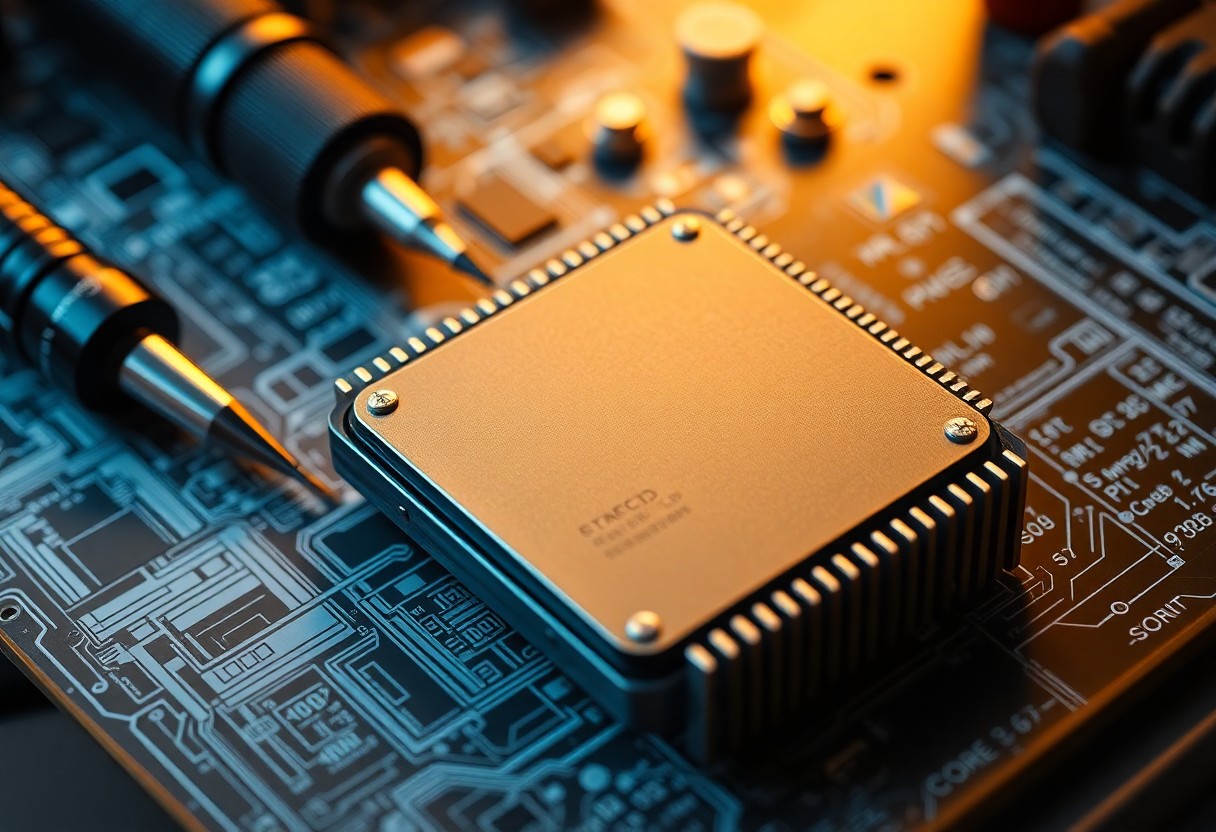
The Heart of Computing: Demystifying CPU Architecture
Understanding your CPU's architecture unveils the intricate design that drives computing power. Each CPU consists of various layers that work in harmony, from the silicon die housing millions of transistors to the integrated circuits that facilitate complex calculations. This architecture determines how efficiently your CPU can execute tasks, manage data, and interact with other components of your system, thereby directly affecting overall performance and speed.
Core Components that Shape Performance
At the heart of CPU performance are its core components: the control unit, arithmetic logic unit (ALU), and registers. The control unit orchestrates instruction execution, while the ALU performs all arithmetic and logical operations. Registers provide the CPU with fast-access storage for immediate data processing, ensuring quick retrieval of important information. Together, these elements significantly influence your computer’s responsiveness and efficiency.
The Role of Cache Memory in Speed Dynamics
Cache memory acts as a high-speed buffer between the CPU and main memory, designed to enhance data retrieval speed. By storing frequently accessed data and instructions, cache minimizes lag time during processing, allowing your CPU to perform at optimal levels. The presence of multiple cache levels—L1, L2, and L3—further augments performance based on how close data is to the CPU core.
The hierarchy of cache memory plays a pivotal role in maintaining efficient CPU operations. L1 cache, located closest to the CPU, offers the fastest access times, typically around 1-5 nanoseconds, and stores the most critical data. L2 cache is slightly larger but slower, while L3 acts as a shared memory pool for all cores in a multi-core processor. This layered approach ensures your CPU spends less time waiting for data, ultimately resulting in faster execution of programs and smoother multitasking capabilities. The efficiency of cache memory can therefore be a game-changer in applications demanding high processing speeds, such as gaming and video editing.
Clock Speeds vs. Core Count: Finding the Balance
Achieving optimal performance boils down to balancing clock speeds and core counts. Higher clock speeds typically translate to faster processing, but multi-core processors allow for efficient multitasking. A higher core count means your CPU can handle multiple threads, often giving you enhanced performance in workloads that require parallel processing. The ideal configuration depends on your specific computing needs, whether you're gaming, video editing, or just browsing the web.
How Clock Speed Impacts Processing Speed
Clock speed, measured in gigahertz (GHz), directly affects how many cycles a CPU can perform in one second. A higher GHz rating means your CPU can execute more instructions per second, resulting in quicker processing. For instance, a 3.0 GHz processor handles tasks faster than a 2.5 GHz model under similar conditions. However, clock speed alone isn't a definitive indicator of overall performance.
The Significance of Multi-Core Processing
Multi-core processing allows your CPU to simultaneously manage numerous tasks, vastly improving efficiency for applications that can leverage multiple threads. For example, a quad-core processor can handle four threads at once, making it ideal for tasks such as video rendering or running virtual machines. Traditional single-core CPUs struggle under such workloads, demonstrating the advantages of increased core counts in modern computing environments.
As software continues to evolve, the reliance on multi-core processors becomes more pronounced. Many applications, particularly in gaming and digital content creation, are optimized for multi-threading, allowing them to distribute tasks across available cores. This means that while a high clock speed can provide impressive performance for single-threaded tasks, a CPU with multiple cores will usually outperform it in demanding scenarios, ensuring smooth operation even under heavy loads. Thus, the best CPUs on the market today often blend high clock speeds with a substantial number of cores, catering to a diverse range of user requirements.
Power Management: Efficiency Meets Performance
Power management technologies play a crucial role in optimizing the performance and efficiency of your CPU. By intelligently managing power consumption based on workload demands, manufacturers have made it possible for users to enjoy high-speed processing without unnecessary energy expenditure. This balance helps extend battery life in portable devices and reduces heat output, which contributes to the overall stability and longevity of your hardware.
The Importance of Thermal Design and Cooling
Effective thermal design and cooling mechanisms are vital for maintaining a CPU's performance. Overheating can lead to throttling, where the CPU automatically reduces its clock speed to prevent damage, significantly impacting your system's responsiveness. Implementing advanced cooling solutions, such as heat sinks, liquid cooling systems, and efficient airflow within your computer case, ensures that your CPU operates within optimal temperature ranges.
Balancing Performance with Power Consumption
Striking the right balance between performance and power consumption involves intricate architectural decisions in CPU design. For instance, technologies like Intel's Turbo Boost allow your CPU to increase speed temporarily under heavy loads, while Dynamic Voltage and Frequency Scaling (DVFS) reduces power usage during light tasks. By adjusting power levels based on real-time demands, modern CPUs maximize efficiency without compromising performance.
Achieving this balance is vital for both desktop and mobile users. In gaming, for example, CPUS that can boost during intensive scenes can provide smoother gameplay, while returning to lower power states during idle moments extends battery life or reduces energy bills. This dynamic responsiveness allows your computer to perform optimally in various scenarios, enabling a seamless experience, whether multitasking, playing games, or simply browsing the web. The advancements in power management technology signify that you can enjoy high performance without overwhelming energy demands.
CPU Innovations: What’s Next in Processing Power?
Innovations in CPU technology are continuously redefining processing power, pushing the boundaries of what your computer can achieve. Upcoming advancements focus on increasing efficiency, enhancing parallel processing capabilities, and utilizing innovative architectures tailored for specific tasks. This includes integrating artificial intelligence directly into chip designs, which can significantly boost performance without demanding more computational resources. As processing needs evolve, the integration of specialized cores for graphics and machine learning will likely reshape modern CPUs, optimizing speed and energy consumption.
Emerging Technologies and Their Potential Impact
Emerging technologies, such as 5G networks and advanced AI, are set to influence CPU design profoundly. With the rise of edge computing, your CPU will need to handle vast amounts of data locally, potentially increasing the demand for faster processing capabilities. Furthermore, innovations like chiplet architecture allow for modular designs, enabling manufacturers to mix and match cores optimized for specific tasks, thus enhancing performance while maintaining efficiency.
The Future of Quantum and Neuromorphic Processing
Quantum and neuromorphic processing hold the promise of revolutionizing your computing experience by mimicking human cognitive functions. Quantum processing leverages qubits that can exist in multiple states simultaneously, enabling calculations at speeds unimaginable with traditional CPUs. Neuromorphic chips, on the other hand, emulate the brain's neural structures, offering ultra-efficient processing for tasks like pattern recognition and large data analysis. These technologies could drastically reduce the time required to solve complex problems, such as simulations and optimizations in fields ranging from cryptography to artificial intelligence.
The future of quantum and neuromorphic processing presents thrilling possibilities for everyday computing. Quantum computers aim to tackle problems like drug discovery and complex simulations that current systems struggle with. Major tech companies, including IBM and Google, have made strides in building quantum processors, with some claiming to achieve quantum supremacy. Neuromorphic chips are already in use for applications like autonomous vehicles and smart sensors, allowing machines to process information in real-time as humans do. As these technologies mature, expect a paradigm shift in computational capabilities that not only accelerates processing power but also enhances your ability to perform complex tasks with ease.
Practical Tips for Maximizing Your CPU's Performance
Enhancing your CPU's performance can lead to a noticeable boost in your computer’s speed and efficiency. To get the most out of your CPU, consider these practical tips:
- Keep your operating system and drivers up to date.
- Utilize power-saving modes effectively.
- Close background applications and unnecessary tabs.
- Monitor your CPU temperature and maintain proper cooling.
- Optimize startup programs to reduce load time.
Assume that following these strategies will lead to a smoother computing experience, enabling your machine to perform better in everyday tasks.
Software Optimization Strategies
Optimizing your software can make a significant difference in CPU performance. Start by configuring your background applications to minimize their resource consumption. Uninstall programs you no longer use and regularly run disk cleanup utilities to remove temporary files. Adjust visual effects in your operating system settings to prioritize performance over appearance, ensuring your CPU can dedicate more power to crucial tasks.
Upgrading: When and How to Boost Your CPU
Upgrading your CPU can dramatically enhance your system’s overall performance, especially if you’re running demanding applications or multitasking frequently. Choose an upgrade when you’re experiencing slowdowns, longer load times, or if applications are crashing frequently. Before upgrading, check your motherboard’s compatibility with new CPU models, as well as ensure your cooling system can handle the additional heat generated by more powerful processors.
Once you've determined that an upgrade is necessary, identify the specific CPU model that matches your needs. Research options based on benchmarks and user reviews to select a processor that balances performance and cost. Consider your computer's use cases: for gaming, look for CPUs with higher clock speeds and core counts, while productivity tasks may benefit more from additional threads. Gathering all necessary components like thermal paste and tools will streamline the upgrade process, ensuring your system operates at peak performance once the new CPU is installed.
Conclusion
Ultimately, understanding the core functions of your Central Processing Unit (CPU) empowers you to make informed choices about your computer's performance. By grasping its architecture, clock speed, and core count, you can optimize your system for various tasks, from gaming to productivity. When you select the right CPU for your needs, you enhance your computing experience and ensure that your machine runs efficiently. With the knowledge you've gained, you are now better equipped to evaluate and upgrade your system for optimal speed and functionality.
FAQ
Q: What is a Central Processing Unit (CPU)?
A: The Central Processing Unit (CPU), often referred to as the brain of the computer, is the primary component responsible for processing instructions. It performs calculations, executes commands, and manages tasks by interpreting instructions from software applications. The CPU handles data from various sources and directs the flow of information throughout the system, making it crucial for the performance of any computing device.
Q: How does the speed of a CPU affect computer performance?
A: The speed of a CPU, commonly measured in gigahertz (GHz), indicates how many cycles per second it can execute. Generally, a higher GHz value means faster processing capabilities, leading to improved performance for tasks such as gaming, video editing, and running complex software. However, it's important to note that speed isn't the only factor; the architecture, core count, and cache size also play vital roles in overall performance.
Q: What are CPU cores, and why are they important?
A: CPU cores are individual processing units within the CPU that can execute instructions independently. A multi-core processor has multiple cores that allow it to perform several tasks simultaneously. This parallel processing capability is particularly beneficial for multitasking and running applications that require significant computational power, as it can lead to improved responsiveness and efficiency in handling multiple operations at once.
Q: What is cache memory in the CPU, and how does it influence speed?
A: Cache memory is a small amount of high-speed memory located within or close to the CPU that stores frequently accessed data and instructions. The CPU can access cache memory much faster than standard RAM, significantly speeding up overall processing. There are typically multiple levels of cache (L1, L2, and L3), with L1 being the fastest but smallest. A larger cache size can reduce the time it takes to retrieve data, leading to faster performance during computing tasks.
Q: How can I determine if my CPU is suitable for my computing needs?
A: To assess whether your CPU meets your computing needs, consider the tasks you typically perform. For basic activities like web browsing and word processing, a mid-range CPU may suffice. However, for high-performance activities like gaming or graphic design, a higher-end CPU with more cores and a greater clock speed will be necessary. You can also check benchmarks, which compare CPU performance metrics across various tasks, to help guide your decision.


 Posts
Posts


0 Comments