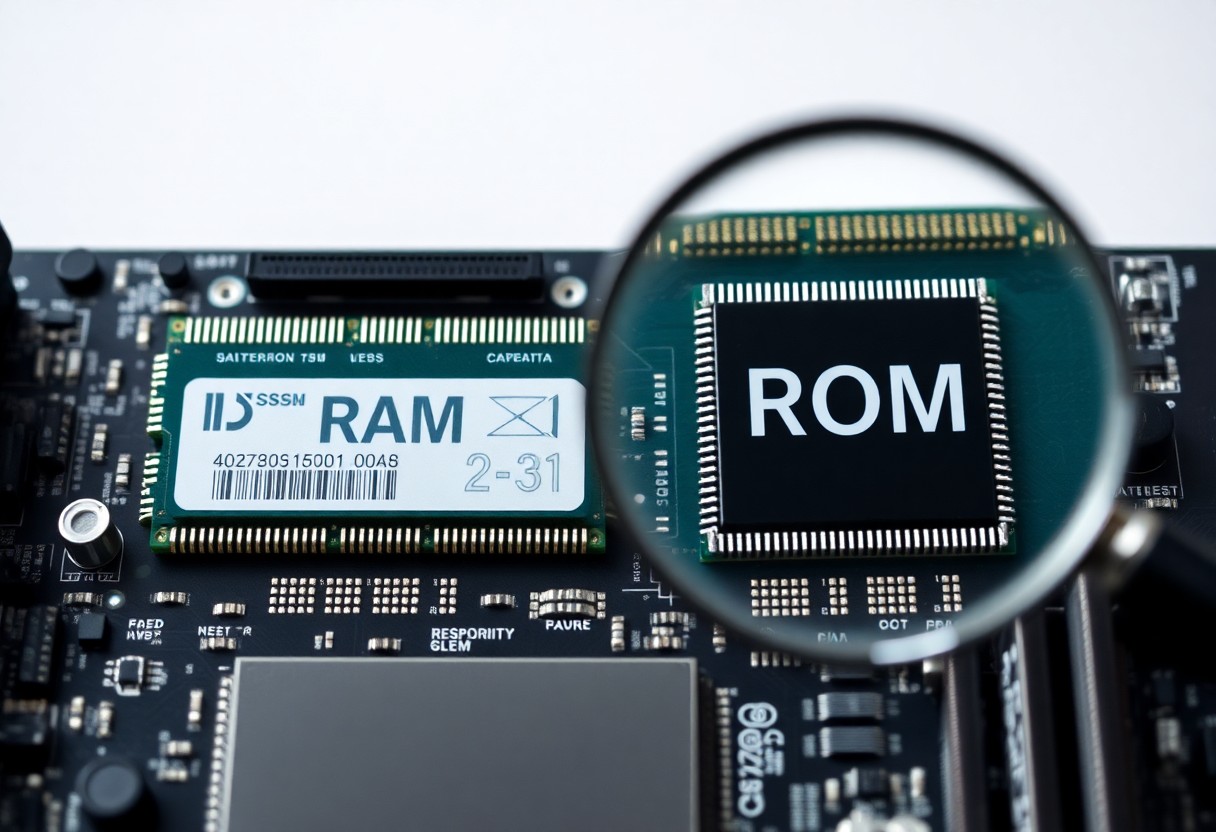
RAM is a key component in your computer that significantly impacts its performance and speed. Understanding the difference between RAM and ROM is important for anyone delving into computing, as each serves distinct functions in your device. While RAM temporarily stores data for quick access, ROM holds permanent instructions that help start up your system. This post will clarify these differences with simple examples, enabling you to make informed decisions about your computer's memory needs.
Key Takeaways:
- RAM (Random Access Memory) is volatile memory, meaning it loses its data when the power is turned off, while ROM (Read-Only Memory) is non-volatile and retains data without power.
- RAM is used for temporary storage of data and programs that the CPU is currently using, whereas ROM contains permanent instructions for booting and hardware initialization.
- Examples of RAM include DDR4 and SDRAM, while examples of ROM include BIOS and firmware in devices.
What is RAM?
Definition and Basics
RAM, or Random Access Memory, is a type of volatile memory that stores data temporarily while your computer is running. It allows your device to access information quickly, which speeds up the performance and responsiveness of applications. Unlike long-term storage devices, RAM loses its data when the power is turned off.
Types of RAM
There are several types of RAM, each serving different functions in computing. The most common types include SRAM (Static RAM) and DRAM (Dynamic RAM). SRAM is faster and used primarily for cache memory, while DRAM is more prevalent as the main memory in PCs and servers due to its higher density.
| Type | Description |
| SRAM | Fast and expensive, used for cache memory. |
| DRAM | Slower but denser and cheaper, used for main memory. |
| SDRAM | Synchronized with the system bus for improved performance. |
| DDR SDRAM | Double Data Rate, offering higher speeds than SDRAM. |
| LPDDR | Low Power DDR, designed for mobile devices. |
Understanding the types of RAM helps you optimize your computer's performance. Each type has distinct characteristics suited for various applications, from high-speed tasks to energy-efficient operations in portable devices. You may find SRAM in gaming consoles, while DRAM is typically used in PCs.
- Recognizing the differences between types enables effective hardware selection.
| Type | Use Case |
| SRAM | Ideal for cache memory in CPUs. |
| DRAM | Best for general-purpose memory in computers. |
| SDRAM | Main memory in modern desktops and laptops. |
| DDR SDRAM | Used for high-performance tasks in gaming and workstations. |
| LPDDR | Perfect for smartphones and tablets for better battery life. |
Familiarity with these different types of RAM aids in understanding their roles in your device's architecture. Knowing which RAM type fits your needs, whether for speed, capacity, or energy efficiency, can significantly influence your overall computing experience.
- Recognizing the appropriate RAM type enhances your hardware performance and efficiency.
What is ROM?
ROM, or Read-Only Memory, refers to a type of non-volatile memory that retains data even when the power is off. It is primarily used to store firmware or software that is rarely changed. For an in-depth comparison between RAM and ROM, check out the RAM vs ROM Explained: The Ultimate Beginner's Guide to ...
Definition and Basics
ROM is designed to hold permanent data or instructions that your device needs to boot and operate. Unlike RAM, the data stored in ROM is not lost during power outages, ensuring that imperative information remains intact. This makes ROM integral to the basic functionality of computers and other electronic devices.
Types of ROM
Several types of ROM exist, each serving different purposes in computing systems. Common variations include PROM (Programmable ROM), EPROM (Erasable Programmable ROM), and EEPROM (Electrically Erasable Programmable ROM). Knowing the differences can help you choose the right type for your specific needs.
| Type of ROM | Description |
| PROM | Programmable only once after manufacture. |
| EPROM | Can be erased using UV light and reprogrammed. |
| EEPROM | Can be electrically erased and reprogrammed multiple times. |
| Flash Memory | A type of EEPROM that is faster and supports larger storage. |
Different types of ROM serve unique functions. PROM is useful for initial programming, while EPROM and EEPROM allow for modifications after deployment, catering to updates and revisions. Flash memory further enhances accessibility and speed, making it ideal for many modern applications.
- Knowing which type of ROM suits your needs can help optimize system performance.
| Type | Use Case |
| PROM | Used in simple devices where data doesn't change. |
| EPROM | Common in older systems needing occasional updates. |
| EEPROM | Found in BIOS chips for easy reprogramming. |
| Flash Memory | Used in USB drives and SSDs for quick access. |
- Knowing the right ROM type improves data management in devices.
Key Differences Between RAM and ROM
Understanding the key differences between RAM and ROM helps clarify how these memory types function and their specific roles in computing. RAM, being volatile, loses its data when the power is turned off, while ROM retains its data without power. For a comprehensive exploration of RAM vs ROM: Key Differences in Computer Memory, you'll find various examples and detailed insights.
Volatility
RAM is classified as volatile memory, meaning it only holds data while the power is on. Once power is lost, all data in RAM is erased. Conversely, ROM is non-volatile and retains its contents even when electricity is not supplied.
Usage and Storage
RAM is primarily utilized for temporary storage during computer operations, allowing quick access to data needed for running applications. ROM, however, serves as permanent storage for firmware and crucial system instructions imperative for booting the computer. Examples include BIOS, stored in ROM, which initializes hardware components at startup.
The usage and storage functions emphasize the practical differences between the two types of memory. You rely on RAM to enable multitasking and speed up application performance, typically measured in gigabytes (GB). Conversely, ROM is often smaller, measured in megabytes (MB), containing imperative programs and setups, facilitating the system boot process without any interference from volatile conditions. This delineation shows how both types of memory complement each other to enhance your computing experience.
Examples of RAM in Computing
In contemporary computing, various types of RAM serve distinct functions. DRAM (Dynamic RAM) is commonly used as the main memory in personal computers, while SRAM (Static RAM) is often found in cache memory due to its faster speed. Additionally, DDR (Double Data Rate) RAM, specifically DDR4 and the emerging DDR5, enhances bandwidth, providing better performance for modern applications. These RAM types are designed to improve speed and efficiency, tailoring them to specific computational needs.
Performance Enhancements
The performance of your computer significantly improves with the right amount and type of RAM. High-capacity RAM allows for multitasking without lags, while faster RAM speeds boost data retrieval processes. For instance, an upgrade from DDR3 to DDR4 RAM can lead to a noticeable increase in frame rates during rendering tasks or video playback, enhancing the overall user experience in resource-heavy applications.
Gaming Applications
In gaming, sufficient RAM directly affects gameplay smoothness and overall experience. Most modern games require at least 8GB of RAM for optimal performance, with demanding titles suggesting 16GB or more. Fast RAM, such as DDR4 or the newer DDR5, allows for quicker texture loading and responsiveness, enabling you to enjoy a seamless gaming experience without stuttering or lag.
Many popular games, like "Cyberpunk 2077" and "Call of Duty: Warzone," are designed to utilize up to 16GB of RAM effectively, allowing players to run high graphics settings. The enhancement in loading times and in-game performance can often be attributed to the amount and speed of RAM. Upgrading your system’s RAM to align with these requirements can lead to a significantly more enjoyable gaming experience, allowing you to immerse yourself without performance interruptions.
Examples of ROM in Computing
ROM, or Read-Only Memory, plays a vital role in various computing applications. Common examples include firmware embedded in devices like printers and routers, which provide crucial instructions that govern functionality. Similarly, game cartridges for consoles, such as those used in the Nintendo Entertainment System, utilize ROM to store game data, ensuring the software remains intact and unalterable. These examples highlight how ROM maintains critical data that devices utilize for proper operation.
Firmware and BIOS
Firmware refers to specialized software programmed into hardware devices, enabling basic operations. The BIOS (Basic Input/Output System), stored in ROM, is a prime example; it initializes hardware components during boot-up and prepares the system for loading the operating system. Without this firmware, your computer would not function correctly, as it relies on these instructions to start up and manage hardware interactions.
Storage in Embedded Systems
Embedded systems often leverage ROM for storing permanent instructions that control devices. In this context, ROM ensures that critical software remains intact and unchanged over time, allowing appliances like microwaves, washing machines, and smart thermostats to operate reliably. These systems typically require minimal user interaction and rely heavily on the pre-installed programming held in ROM for their functionality.
Embedded systems utilize ROM to provide consistent behavior across numerous applications, ensuring that each device performs its intended tasks without needing frequent updates or alterations. For instance, a smart thermostat may use ROM to store temperature control algorithms, allowing it to efficiently manage heating and cooling cycles without internet connectivity. This reliability makes ROM crucial in environments where stability and performance are paramount, underscoring its value in everyday technology.
RAM and ROM in Modern Devices
In today’s devices, both RAM and ROM are integral to performance and functionality. RAM acts as temporary storage that allows your system to quickly read and write data for active tasks, while ROM provides permanent instructions necessary for booting and running hardware components. Modern devices, like smartphones and laptops, depend on high-speed RAM to multitask effectively, whereas firmware stored in ROM ensures important functions are reliably available at startup.
How They Work Together
RAM and ROM complement each other in your device, working in harmony to enhance user experience. While RAM stores data your system is actively using, ROM holds the foundational code needed for initial system operations. This seamless collaboration ensures quick access to active applications while maintaining stability through important firmware processes.
Importance in Computing Performance
Your device’s speed and efficiency largely depend on the balance between RAM and ROM. An insufficient amount of RAM can lead to sluggish performance and system crashes, while ROM ensures that fundamental processes operate without fail. Together, they impact load times, multitasking capabilities, and overall system responsiveness.
High-performance computing systems typically utilize substantial amounts of RAM, often exceeding 16GB, to handle demanding applications like video editing and gaming seamlessly. In contrast, well-designed ROM accommodates system updates and enhances security by preventing unauthorized changes. Optimizing both RAM and ROM in a device results in improved boot times, faster data access, and increased reliability, ultimately enriching your computing experience and productivity.
Summing up
As a reminder, understanding the difference between RAM and ROM is crucial for your computing knowledge. RAM, or Random Access Memory, is your system's short-term memory, enabling fast data access for active tasks, while ROM, or Read-Only Memory, is the long-term memory that stores permanent data and firmware. You can think of RAM as your workspace for current projects and ROM as the reference materials you keep for future use. Both play distinct yet vital roles in your device's overall functionality, and grasping their differences will enhance your understanding of how computers operate.
FAQ
Q: What is the primary difference between RAM and ROM?
A: The primary difference is that RAM (Random Access Memory) is volatile memory used for temporary data storage while a computer is running, allowing for fast data access. ROM (Read-Only Memory), on the other hand, is non-volatile and retains data even when the power is off, typically storing firmware and system instructions.
Q: Can RAM data be altered?
A: Yes, data in RAM can be read and written. It changes frequently as the computer operates, providing the workspace needed for active processes during operation.
Q: Can data on ROM be modified?
A: Generally, data on ROM cannot be modified or can only be modified with difficulty. It contains permanent instructions, such as BIOS, which do not change over time in normal use.
Q: Give an example of where RAM is used?
A: An example of RAM usage is in a PC during multitasking. When multiple applications run, RAM temporarily holds the data and instructions, allowing quick access for the CPU.
Q: Provide an example of a purpose of ROM?
A: An example of ROM usage is in embedded systems, such as the firmware in a washing machine that controls the operating functions and settings, preserving this information even without power.


 Posts
Posts


0 Comments